
9 Best places to travel in March 2026
February 16, 2026
What Is Cellular Data? How Mobile Data Works, Costs, Usage & Roaming Explained
February 24, 2026
Best Travel Apps for South Korea (Quick List: Maps, Taxi, Subway, Food & Translation)
If you only download a few apps before your trip, make it these. They work on iOS and Android.
Navigation
Use Naver Map as your main app. Keep KakaoMap as your backup.
Google Maps is often unreliable in South Korea because of map data restrictions.
Subway / Metro
Use KakaoMetro for simple route planning.
Use Subway Korea when you care about the right exit, platform position, and last train time.
Taxi / Ride-hailing
Use Kakao T for the biggest driver network and the most consistent pickups.
Use k.ride if you want a tourist friendly experience with auto-translation.
Keep Uber as a backup in Seoul.
Food delivery
Use Baemin for the biggest selection.
Use Shuttle Delivery if you want English menus and easy international card payments.
Use HungryPanda if you’re craving Chinese and other Asian cuisine.
Restaurant reservations
Use Catchtable for reservations and waitlists, especially for popular places.
Translation
Use Papago. It’s one of the best options for Korean.
Communication
Use KakaoTalk. Many businesses and reservation systems rely on it.
Connectivity
A Korea eSIM from providers like Strong eSIM helps everything work as soon as you land.
Why You Need the Right South Korea Travel Apps (and Why Data Matters)
South Korea runs on apps. Transport, taxis, delivery, and even reservations often assume you’re online.
Two common problems hit visitors fast.
First, Google Maps doesn’t work properly on Korea for many local needs. Walking directions can be off, and transit info may not load the way you expect.
Second, data matters more than you think. Maps, taxi apps, delivery, and live translation all need an internet connection. Even if your translator has offline options, your navigation and ride apps still need data.
If you set up the apps before your flight, you’ll have less stress on arrival. It also helps with verification texts and payment setup.
Best Map Apps for South Korea That Actually Work (Naver Map vs KakaoMap vs Google Maps)
Why Google Maps Fails
Google Maps struggles in South Korea because detailed map data isn’t fully available. That’s why walking navigation and transit directions can be unreliable.
If you want fewer headaches, use Korean map apps instead.
Naver Map
Local accuracy
Naver Map is built for Korean streets, transit, and businesses. Routes usually make more sense, and timing is often more precise.
Language support
It supports English, Chinese, and Japanese. The app usually follows your phone language settings.
Useful features
You get real-time bus and subway arrivals, walking and driving routes, and saved place lists. It can also translate some content through Papago integration.
Drawback
Some searches work better in Korean. If an English search fails, copying the Korean name or address usually fixes it.
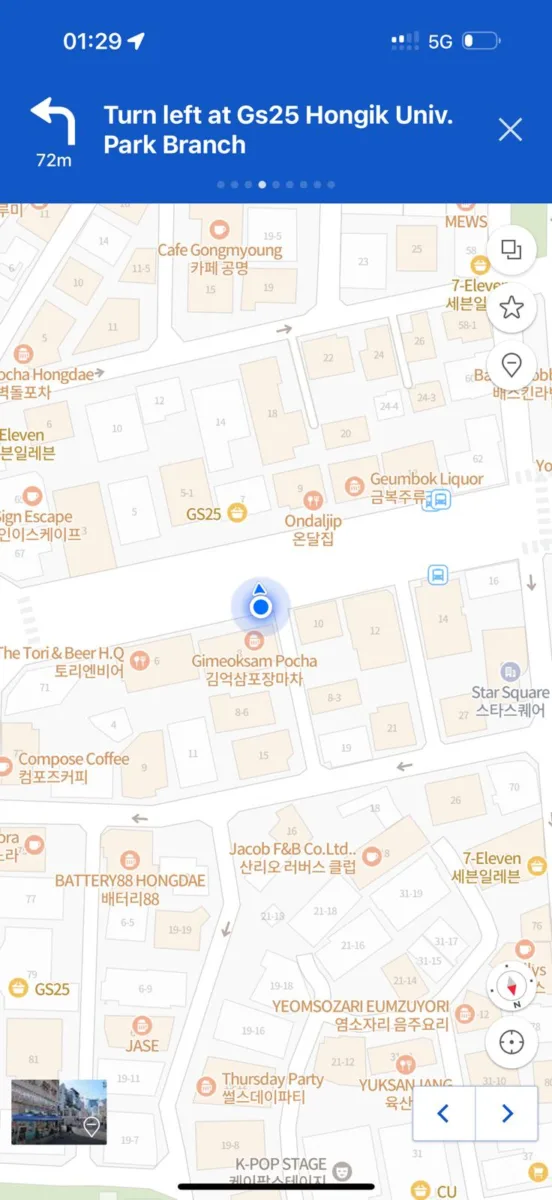
KakaoMap
Clean interface and strong nearby search
KakaoMap is great for quickly finding cafés, shops, and bus stops around you.
Great for buses
Many travelers like its real-time bus tracking, especially in places like Jeju.
Ratings at a glance
It shows star ratings clearly, which helps when you don’t want to read long reviews.
Best use
Keep it as a backup, or use it alongside Naver Map to compare routes.
Google Maps
Limited reliability
It can still help with basic landmark searches. For walking and public transit, treat it as a last resort.
How to Use Naver Map in Korea (English Tips, Korean Address Search, Saved Places)
Install Naver Map before you fly.
If your phone language is English, the app usually shows English by default. If not, open Settings and switch the language.
If search results feel limited in English, try this. Find the place name or address in Korean (Google results often show it), then paste that into Naver Map.
For public transport, enter your start and end points. You’ll see bus and subway options, transfer info, and estimated fares.
Save places as you go. Use bookmarks to build lists for food, cafés, shopping, and day plans.
When you’re reading reviews, use Papago app to translate the Korean text when needed.
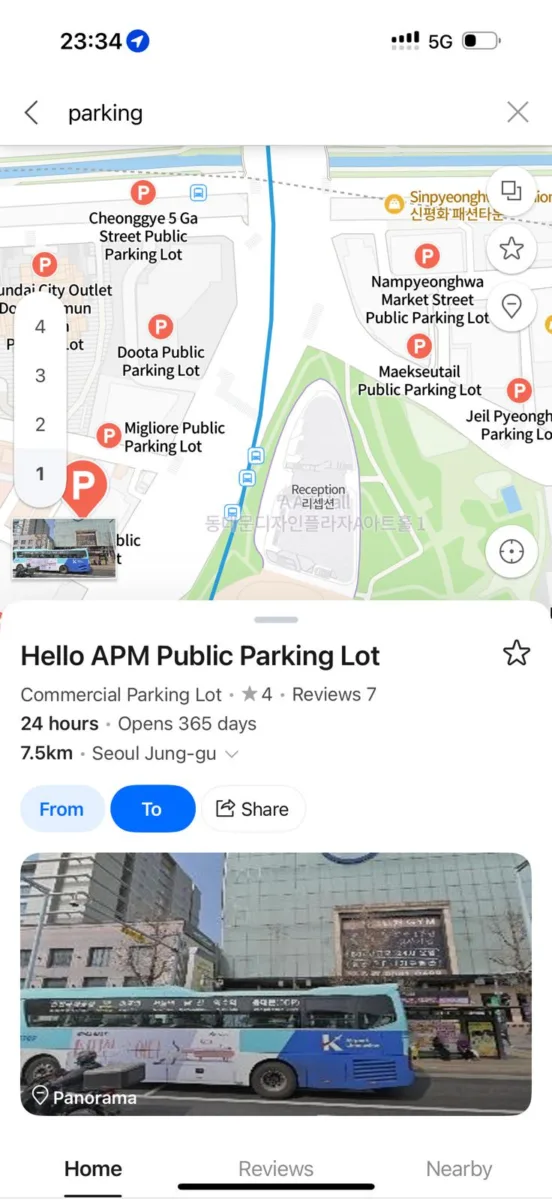
It also finds parking spots near to your destination if you rent a car which helps a lot because finding a parking spot in Korea is like finding gold.
KakaoMap for Tourists in South Korea (Nearby Search, Bus Tracking, Easy Bookmarking)
Think of KakaoMap as the perfect backup.
It’s especially good when you’re walking around busy neighborhoods and want a fast “what’s near me?” view.
Bus tracking is one of its best features. Arrival times and stop locations are easy to check.
It also makes bookmarking simple. Many travelers like its saved-place system because it feels less cluttered.
Best Subway Apps in South Korea (KakaoMetro vs Subway Korea: Exits, Transfers, Last Train)
KakaoMetro
KakaoMetro makes the subway feel less intimidating.
It lays out your route clearly, including stops, transfers, and travel time.
It also helps you understand transfers. You can quickly see whether a connection is tight or relaxed.
It’s available in English and usually works well with minimal setup.
Subway Korea
Subway Korea is for details.
It focuses on exits, platform positions, and last-train timing. That matters a lot in Korea, where the right exit number can save you a long walk.
It also works well offline, which is handy if you’re trying to conserve data.
It covers multiple cities, including Seoul, Busan, Daegu, Daejeon, and Gwangju.
When to use which
Use Subway Korea when you need exit level precision or expect to be offline.
Use KakaoMetro when you want a simple, clear route overview.
Best Taxi Apps in South Korea for Foreigners (Kakao T, k.ride, Uber in Seoul)
Kakao T
Kakao T has the biggest network in most places. That usually means shorter waits and more reliable pickups.
It’s more than just taxis. Depending on your area, it can include other transport options too.
Payment is flexible. You may be able to use an international card in the app, or pay the driver directly.
It’s also useful late at night, when public transport slows down or stops.
One practical tip: set up KakaoTalk and Kakao T before you arrive. SMS verification can get messy if you swap SIMs mid-trip.
k.ride
k.ride is built with tourists in mind.
Search is more forgiving in different languages, and driver chat can auto-translate.
It supports a full English experience and many other languages.
It also focuses on easy payment with international cards. It may still ask for SMS verification in some cases.
Choose k.ride if Kakao T gives you card trouble, or if you just want a simpler setup.
Uber
Uber works in Seoul and the metro area, mostly as a backup.
It’s familiar, and international payments are usually straightforward.
Coverage is more limited than Kakao T, so wait times can be longer.
How to Book a Taxi in Korea Without Speaking Korean (Step-by-Step Checklist)
Install your taxi app before you arrive. Set it up using your home number if verification is required.
Add your payment method ahead of time if the app allows it.
Open the app and allow location access so it can set your pickup spot.
Search your destination using the place name or address. If English doesn’t work, paste the Korean name from Naver Map or Papago.
Pick your ride type. Most people just choose a normal taxi.
Check the estimated fare and any extra fees that appear.
Book the ride and wait. Confirm the car by matching the license plate in the app.
Use in-app chat if needed. With k.ride, messages can auto-translate.
Pay in the app if it works. If not, switch to an option that lets you pay the driver directly.
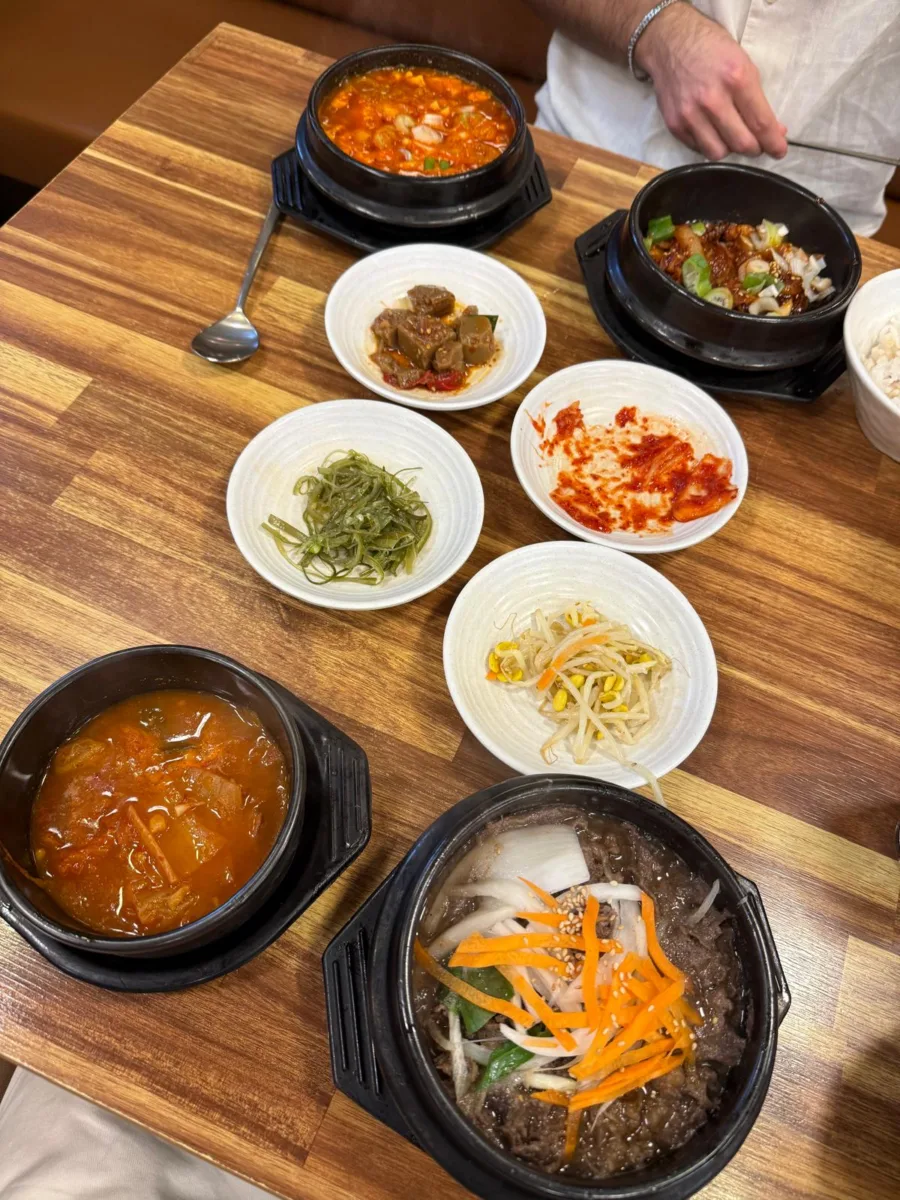
Best Food Delivery Apps in Korea for Tourists (Baemin, Shuttle Delivery, HungryPanda)
Baemin (배달의민족)
Baemin is one of the most popular delivery apps in Korea, with a huge selection.
It can be more foreigner-friendly than many local apps, especially for basic registration.
The big catch is language. The interface is in Korean.
A simple workaround is to use Papago on screenshots when you’re placing an order. It’s slower, but it works.
Shuttle Delivery
Shuttle is built for foreigners, so it removes a lot of friction.
It supports English (plus Japanese and Chinese), and it’s set up for international card payments.
Support is also a plus. It’s generally easier to get help in English.
Coverage is best in major areas like parts of Seoul, plus places like Busan and Daegu. Outside those areas, options may be limited.
HungryPanda
HungryPanda is great if you want Chinese food and other Asian dishes.
The smaller selection can be a good thing. It’s quicker to choose when you’re hungry and don’t want to scroll forever.
Best Restaurant Reservation Apps in South Korea (Catchtable + Waitlists for Popular Spots)
Catchtable is a solid choice for reservations and waitlists.
It can let you join a queue in advance, so you don’t have to stand outside the restaurant for an hour. You can keep exploring and come back when your turn is close.
Some restaurants show up in the global version, others only in the Korean version. If you’re serious about popular spots, having both can help.
Catchtable also works well with KakaoTalk notifications, which makes updates easier to track.
Best Translation Apps for South Korea Travel (Papago for Menus, Signs, and Voice)
Papago is one of the best tools for Korean translation.
It usually handles Korean-to-English more naturally than generic translators.
You can use it for text, voice, conversations, and images. Image mode is especially helpful for menus and signs.
You can also download offline language packs, which is useful in a pinch.
One note: image translation can have daily and monthly limits (based on how the app is set at the time), so don’t rely on it as your only option.
Best Communication Apps in South Korea (KakaoTalk for Reservations, Tours, and Hotels)
KakaoTalk is everywhere in Korea.
Restaurants, tour operators, and even small businesses often send updates through it. Some will only message you there.
It’s also connected to waitlists and reservation systems in some cases, which makes it worth having.
Full verification can require a Korean phone number, but basic messaging usually works with any number.
Install it before switching to a Korean SIM if you can.
Best Travel Apps for Seoul and Busan (City-Specific Must-Haves)
Most of the apps above work nationwide, but these can be nice extras.
Seoul Public Bike (Ttareungyi)
Helpful if you want public bike rentals. It shows stations and bike availability
Visit Korea / Visit Seoul / Visit Busan Pass
Official tourism apps that can include attraction info, coupons, and pass options. Visit Korea also includes a 24/7 travel helpline.
T-Locker
Useful for finding luggage storage lockers in subway stations.
Korail Talk
Good for KTX bookings. It supports multiple languages and usually accepts international cards.
Emergency Ready App
A government app for alerts, shelter locations, and emergency info in multiple languages.
South Korea eSIM for Travel Apps (Stay Connected from Landing to Late Night Delivery)
A travel eSIM makes everything easier because your apps work right away, get your South Korean eSIM from Strong eSIM and do not care about internet during your whole travel period.
You can set it up before you leave your home, then connect as soon as you land.
You also get flexibility in plan size, from small packages to unlimited options.
An eSIM can help you avoid SIM swap issues too. You can keep your home number active for verification texts while still using local data.
It is also much cheaper than roaming, and is very easy to set up aswell.
FAQs About Travel Apps for South Korea (Maps, Taxi, Subway, Food Delivery, Data)
Use Naver Map as your main app and KakaoMap as a backup. Google Maps is often unreliable for walking and transit directions.
Kakao T and k.ride are the most useful for visitors. Uber can work in Seoul as a backup.
Most of the time, yes. Maps, taxis, delivery, and live translation usually need data. Subway Korea and offline Papago packs are the main exceptions.
Shuttle Delivery is the best one in Seoul, plus if you want English and international card support choose that. Baemin has the biggest selection but is in Korean. HungryPanda is great for Chinese and other Asian options.
Many businesses and reservation systems send updates through KakaoTalk. You can travel without it, but it makes life easier.
There are many to consider from, but Strong eSIM stands out as they offer wide range of connection across the country with very reasonable prices.