Eva Marcille Twin Sister: Debunking the Myth in the Modern Era of Celebrity Curiosity
diciembre 19, 2025Is It Safe to Travel to Russia Now? A Practical, No-Drama Guide
febrero 10, 2026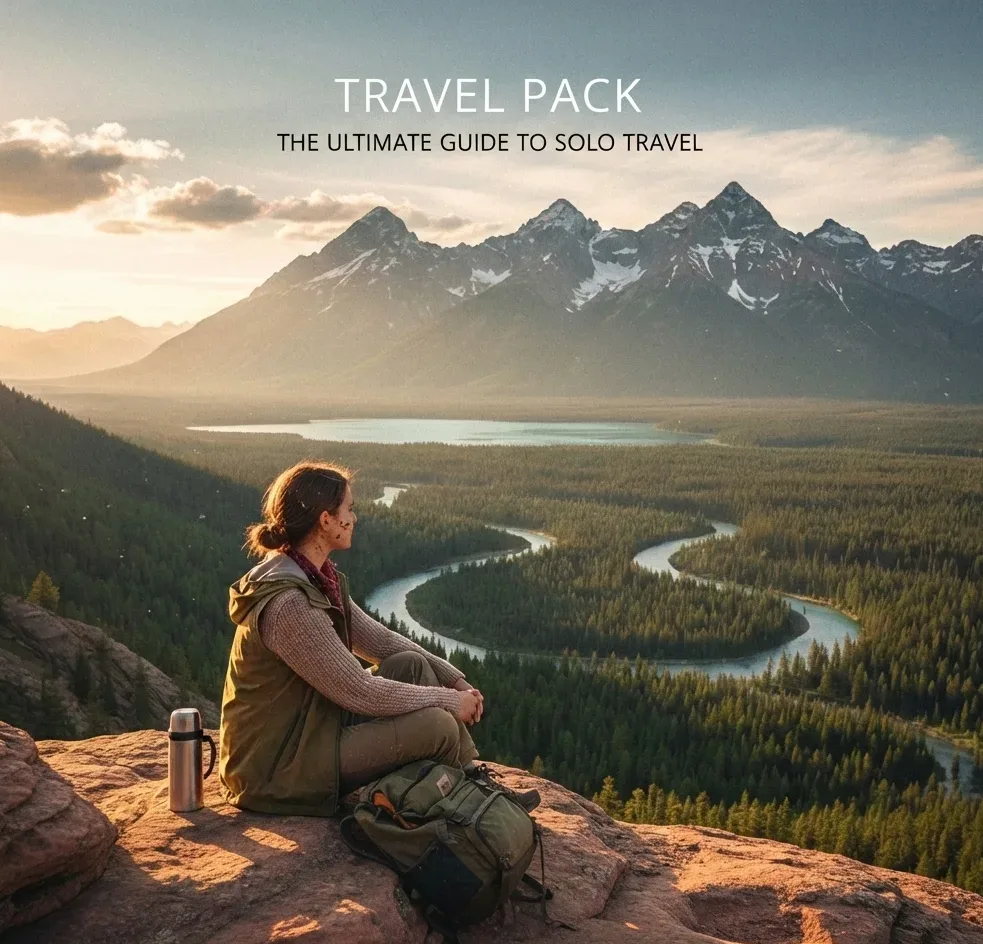
Travel Packs help you feel calm before you land in a new country.
They are simple PDFs you can download, save, and use offline.
TL;DR: Travel Packs are downloadable PDF travel helpers you receive after purchasing Strong eSIM. You get the access password by email, then open a private destination page and download the PDF to your phone.
What are Travel Packs?
Travel Packs are destination focused PDF guides that give you practical basics for one country or region.
Think of it like a calm checklist + local notes in one file.
It is made to be quick to scan on your phone.
How to get the Travel Pack
After you buy a Strong eSIM, you receive a Travel Pack password by email. Then you open your private Travel Pack page and download the PDF.
Step 1. Buy your eSIM on Strong eSIM.
Step 2. Check your email for the Travel Pack password (also check Spam/Promotions).
3. Open your Travel Pack landing page on the Strong eSIM site (example: https://strongesim.com/qatar-premium-travel-pack/).
How do Travel Packs work with Strong eSIM?
After you buy an eSIM, you receive a Travel Pack for that destination, with a password sent to your email.
* The PDF sits on a private (hidden) landing page on the Strong eSIM website.
* Your email contains the password you need to open and download the pack, and enter your password.

How to access your Travel Pack in 3 minutes
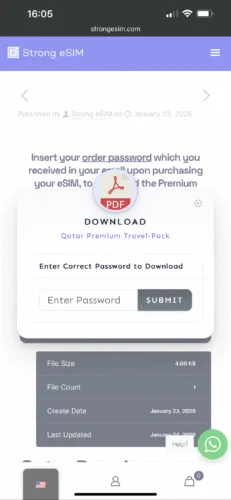
Use the password from your email to unlock the destination page, then download the PDF and save it offline.
1. Open your inbox and search for your Strong eSIM order email.
2. Find the Travel Pack password (it may be in a separate email from the QR Activation code).
3. Open your destination Travel Pack page.
4. Click Download
5. Enter the password to unlock access.
6. Download the PDF to your phone and save it for offline use.
Comfort tip: Save the PDF to Files (iPhone) or Downloads (Android). Also star the email with the password, so it’s easy to find.

Enter your password.
What’s usually inside a Travel Pack?
Most Travel Packs include transport basics, money tips, local apps, safety notes, and a simple plan for your first day.
Arrival steps (airport → city) in plain language
Local transport options and how to pay
Cash, cards, and tipping basics
Common scams to avoid (short and clear)
Local apps (maps, taxis, food delivery) to install
Emergency numbers and help lines
A “first 24 hours” mini plan
Example: Qatar Premium Travel Pack
A Qatar pack can help you plan your first hours in Doha with clear steps for transport, payments, and local etiquette.
It’s the kind of info you want when you’re tired and your brain is slow.
A good pack makes the first day feel simple.
Here are examples of what a pack like this might cover:
How to get from Hamad International Airport to the city
Which ride and metro options are easiest
Where to go for a first easy walk (like Souq Waqif area)
Comfort notes for heat, clothing, and timing your day
Safety and comfort notes
Use the Travel Pack as a calm baseline, then double-check key details like opening hours and local rules when you arrive.
Trust your gut. If something feels off, step away.
Keep screenshots of your hotel address and booking.
Zoom out to see the whole neighborhood.
Pack light to move easily, especially on arrival day.
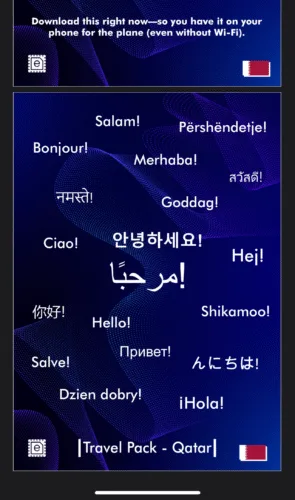
First look into the Travel Pack
Troubleshooting: if you can’t open the pack
Most issues come from using the wrong email, missing the password message, or opening the page in a strict in-app browser.
Check spam and promotions folders for the password email.
Try opening the page in Chrome, Safari, or Firefox (not inside a social app).
Copy the password carefully (no extra spaces).
Conclusion
Travel Packs are small, but they remove a lot of stress.
The best journeys start when you feel prepared, not perfect.
FAQ
I bought an eSIM. When do I receive the Travel Pack password?
You receive it by email after your purchase. Check Spam/Promotions if you don’t see it.
Where do I download the Travel Pack?
You download it from a private Travel Pack landing page on strongesim.com. Example: https://strongesim.com/qatar-premium-travel-pack/.
My password does not work. What should I do?
Type it exactly as shown in the email (capital letters matter). Make sure there are no extra spaces.
I can’t find the email with the password. What now?
Search your inbox for “Strong eSIM” and “Travel Pack”. Also check Spam/Promotions.
Can I open the Travel Pack without internet?
Yes. Download the PDF and save it offline on your phone or laptop.
The PDF won’t open on my phone. How do I fix it?
Download it again and open it using a PDF app (like Adobe Acrobat). You can also try a different browser.